Codex Practice Notes: Modes, Spark, Skills, Slash Commands, And exec
Codex Practice Notes: Modes, Spark, Skills, Slash Commands, And exec
When I first used Codex seriously, I instinctively treated it like a better coding chat window. After some time, that mental model became insufficient.
Codex is closer to an engineering collaborator that can enter a project directory. It can read code, edit files, run commands, inspect CI, write docs, open PRs, and preserve recurring workflows through AGENTS.md, skills, and config files.
The change is not “answers are smarter.” The change is that it can push engineering tasks toward a verifiable state.
How Is Codex Different From Ordinary ChatGPT?
Ordinary ChatGPT is usually a question-answering assistant. Codex is an engineering agent with tools and execution permission.
When CI fails, a normal chat may reason from logs. Codex can inspect code, reproduce tests, locate the failure, patch it, and run tests again. During PR review, it can point to files and lines, behavior risks, compatibility issues, and missing tests.
Questions are still fine, but the bigger value is giving Codex a clear task and letting it perform the read-edit-verify-summarize loop.
What Is Collaboration Mode?
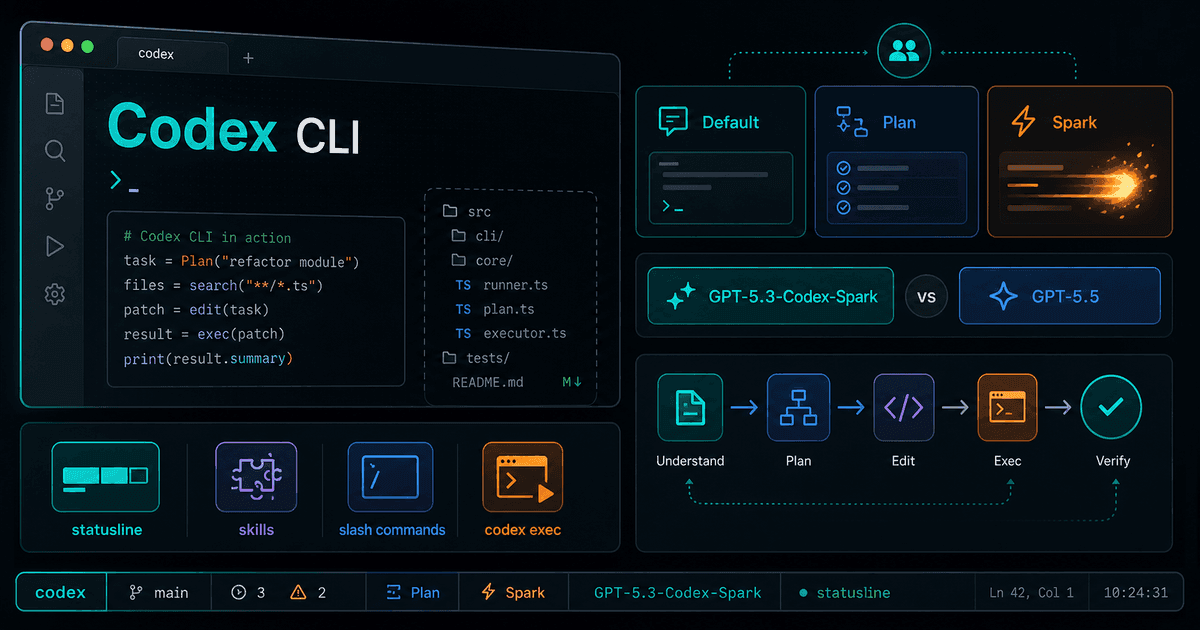
Collaboration mode controls whether Codex is more execution-first or more planning-first.
| Mode | Good For | Behavior |
|---|---|---|
| Default | Daily engineering, bug fixes, tests, CI, PR work | Codex tends to move forward and asks only when missing information would make action risky |
| Plan | Unclear requirements, multiple possible approaches, design discussion | Codex decomposes options and waits for confirmation |
My habit: if the goal is clear, use Default and ask Codex to reach a verifiable state. If the problem is unclear, say explicitly:
Do not edit code yet. Only analyze compatibility risk.
Fix the failing test directly, run tests, then summarize.
Only verify online behavior; do not write to the database or print sensitive data.
Natural-language constraints still work even outside Plan mode.
GPT-5.5 Versus GPT-5.3-Codex-Spark
The practical split:
- GPT-5.5 is for deeper, longer, more complex tasks.
- GPT-5.3-Codex-Spark is for fast, low-latency, small-scope iteration.
| Dimension | GPT-5.5 | GPT-5.3-Codex-Spark |
|---|---|---|
| Position | Strong general/professional model | Ultra-fast coding-oriented model |
| Speed | Heavier, usually slower but steadier | Low latency, good for near-real-time collaboration |
| Task type | System refactor, complex debugging, cross-service design, deep review | One function, one test, UI tweaks, local explanation, quick trial |
| Limits | Standard account/Codex limits | Preview period may have separate limits |
Use the stronger model when you need depth and stability. Use Spark when you need fast feedback and small edits.
How To Think About Limits
Codex limits are not simply “number of messages.” Task size, repository size, context length, tool calls, long-running work, and execution environment all affect usage.
Spark’s separate preview limit does not mean unlimited use. It means it may not consume the same standard Codex pool during the preview.
Typical limit triggers:
- Long high-frequency sessions
- Large repository context
- Many parallel long tasks
- Frequent automated calls
- Peak capacity or preview model constraints
Why statusline Matters
The statusline is not decoration. It keeps important hidden state visible: current model, reasoning level, directory, git branch, run state, permissions, approval mode, remaining context, limit windows, Codex version, and task progress.
Recommended fields:
[tui]
status_line = [
  "model-with-reasoning",
  "current-dir",
  "git-branch",
  "run-state",
  "permissions",
  "approval-mode",
  "context-remaining",
  "five-hour-limit",
  "weekly-limit",
  "codex-version",
  "thread-title",
  "task-progress"
]
Many mistakes happen because the user and Codex do not share the same view of state. You think it is read-only, but it has write access. You think it is in the target repository, but it is in another directory. You think it is using a strong model, but it is using a light one.
The statusline makes those states visible.
What Should Become A Skill?
A skill should capture repeated, stable workflows. If a process appears three or more times, has fixed steps, and has details that are easy to forget, it is a candidate.
Good skill topics:
- Website testing workflows
- Product release workflows
- Work reports
- Document processing
- Blog publishing
- Image generation rules
A skill should explain when to trigger, what to read, how to act, and what risks to avoid. It is an operations manual for future you, not just background explanation.
Useful Slash Commands
Common commands:
| Command | Use |
|---|---|
/ide | Add current IDE files, selection, and editor context to the next prompt |
/memories | Configure memory injection and generation |
/goal | Set or inspect a long-running goal |
/fork | Branch a conversation from current context |
/side | Ask a temporary side question without polluting the main thread |
/raw | Switch raw scrollback mode for logs and terminal output |
/status | Inspect current session configuration and token usage |
/compact | Compress a long conversation when context is low |
/diff | Inspect current git diff before commit |
The ones I use most are /goal, /side, and /diff.
When To Use /goal
Without a goal, Codex mainly works on the current user message. That is fine for short tasks.
A goal is useful when a task spans multiple turns, repositories, or verification stages:
Goal: Fix the search service incremental-index issue until it is ready for release.
Done when: code committed, tests pass, PR created, online validation plan documented.
If the task takes ten minutes, a goal may be unnecessary. If it spans multiple steps or may be interrupted, set one.
What Is codex exec For?
codex exec is non-interactive mode. It is useful in command lines, CI, scheduled jobs, and pipelines.
Examples:
codex exec --sandbox read-only --ask-for-approval never \
  "Analyze the latest pytest failure. Output only root cause and related files."

codex exec --sandbox workspace-write --ask-for-approval never \
  "Fix lint failures with minimal changes and summarize changed files."

git log --oneline v1.2.0..HEAD | codex exec --sandbox read-only --ask-for-approval never \
  "Generate Chinese release notes from the input."
Non-interactive prompts should be narrower and permissions more conservative. Use read-only whenever possible; grant write access only for controlled cases.
What Should Codex Remember?
Use the right storage layer:
| Content | Recommended Place |
|---|---|
| Repository rules, test commands, branch policy | AGENTS.md |
| Personal model, statusline, sandbox, MCP | ~/.codex/config.toml |
| Fixed processes such as release and reports | Skill |
| Long-term personal preference | /memories |
| Temporary task constraints | Current prompt or /goal |
Do not store secrets, passwords, production DB credentials, customer private data, or one-time tokens in memory.
Closing
Codex becomes much more useful when treated as an engineering agent, not a smarter chat window. Modes, statusline, skills, slash commands, and codex exec are not small decorations. They are the control surface that lets Codex move from answering questions to reliably completing work.
Follow ZiCode on WeChat
If this post was useful, you can follow later updates on WeChat as well.

X / Twitter
Follow @ax2_zicode
Faster technical notes, short thoughts, and new-post alerts are posted on X.
