
VS Code 1.94: Notes From The September 2024 Release
VS Code 1.94: Notes From The September 2024 Release
The official release notes are here: September 2024, version 1.94.
Find In Explorer
This release improves the find control in the Explorer view, making it easier to locate files directly inside the file tree.
In Explorer, Ctrl+Alt+F opens file search within the Explorer itself. This is quite practical. Before this, I usually used one of two approaches: right-clicking a folder and searching inside it, which is powerful but jumps to the Search view; or using Ctrl+P to open the quick file picker. Neither feels as direct as Find in Explorer.
Source Control Graph
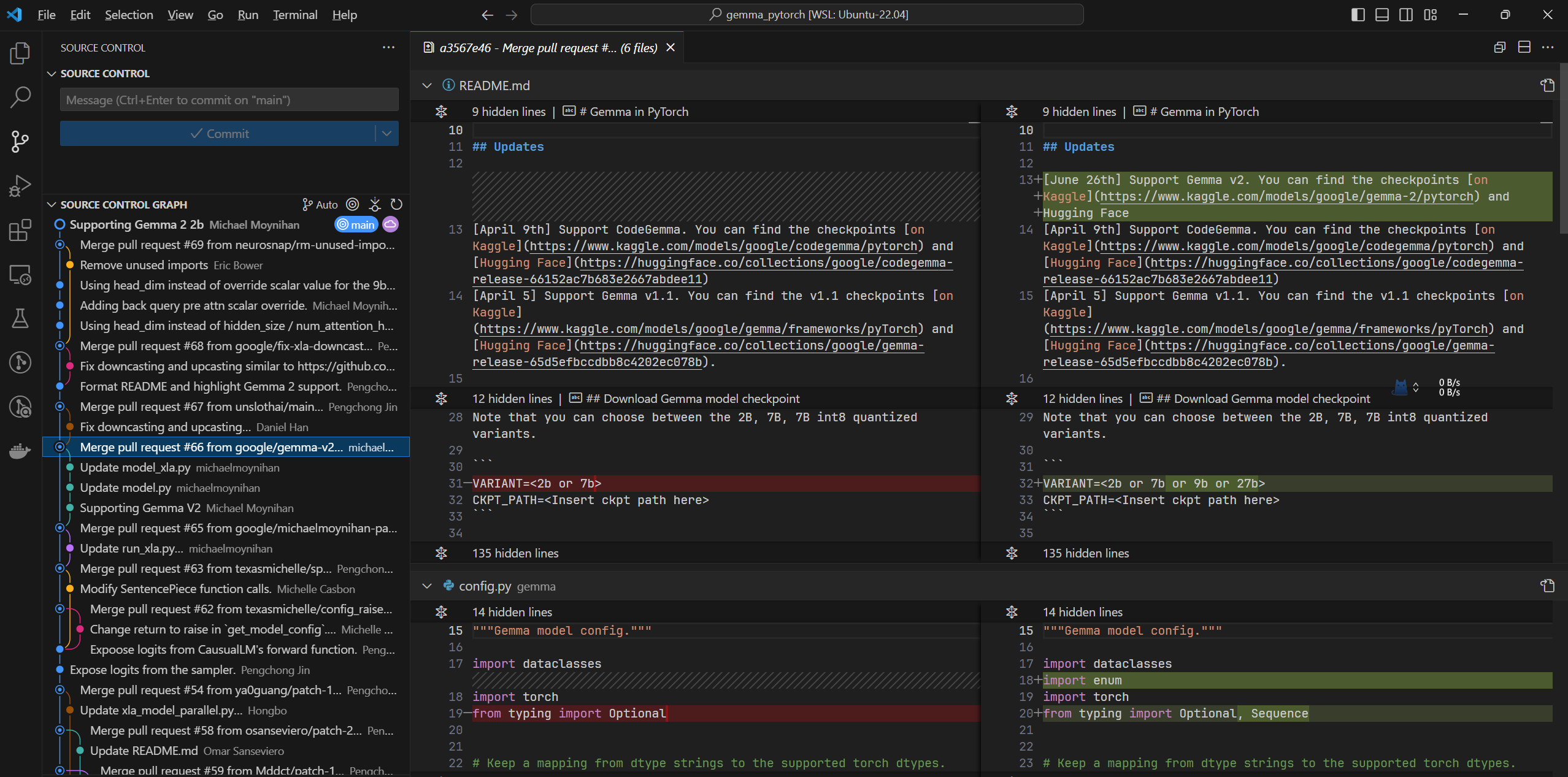
Source Control Graph was added in the previous milestone. Version 1.94 adds more filtering options and interaction details, mainly including:
- Choosing a specific repository when the opened folder or workspace contains multiple repositories.
- A history item reference picker.
- More context-menu actions on history items, such as creating a branch or tag from a selected point, checking out code, and similar operations.
- Several related settings.
Source Control Graph is a good start. If it later supports diffing any two branches directly, it could cover many cases that currently require an extra extension.
Python Test Coverage
VS Code can now run Python tests with coverage and show richer results in the editor.
You can start coverage tests from the Test Explorer coverage icon, or choose Run with coverage when running tests from the menu. For pytest, VS Code uses pytest-cov; for unittest, it uses coverage.py. Once the coverage run finishes, covered and uncovered lines are highlighted directly in the editor.
ESM Startup Improvements
VS Code has continued migrating to ESM, which significantly improves startup speed.

Account Preference
This release also improves account selection for extensions.
For example, if you have multiple GitHub accounts, you may accidentally sign in to GitHub Copilot with the wrong one. VS Code now provides several ways to adjust the account used by a specific extension.
Copilot In Native REPL
Copilot integration in native REPL scenarios continues to improve. The release notes include updates around choosing the right account and using Copilot in more development contexts.
Improved Chat Context
Chat context also becomes more relevant. You can drag and drop files into chat, or use IntelliSense-powered context selection to make the conversation better grounded in the workspace.
Test Environment Setup
VS Code can now help set up a test framework for the current workspace. This is useful when opening an existing project that does not yet have a clear test configuration.
Follow ZiCode on WeChat
If this post was useful, you can follow later updates on WeChat as well.

X / Twitter
Follow @ax2_zicode
Faster technical notes, short thoughts, and new-post alerts are posted on X.
