Files App: An Open-Source Alternative To Windows File Explorer
Files App: An Open-Source Alternative To Windows File Explorer
The built-in Windows File Explorer is already quite usable, but some users have more specific needs. For years, many people have used Total Commander, a long-lived file manager. Total Commander is shareware: it has a one-month free period, and the license costs 42 euros. I am not sure how many people actually buy it; cracked copies are common online.
I do not recommend using cracked software. There is another similar application that is very good, and in some ways even better: Files App.
Files App is open source under the MIT license, which means it can be used for free. It is also sold in the Windows Store for 64 RMB. You can choose a prebuilt installer compiled by others, but this note tries building it from source.
Files App is based on WinUI, Microsoft’s newer UI SDK for Windows, derived from UWP. One complaint about Windows development is that recommended GUI SDKs change frequently. Every few years there seems to be another preferred approach. Today the recommendation seems to be WinUI, or cross-platform UI frameworks such as MAUI.
The Files App project is new and active. Its first GitHub release in 2019 was based on UWP. By version 3.8, it had already published around 120 releases.
The codebase is large, but building it from source is surprisingly straightforward. The project structure is clear, and it uses modern Windows development tools. The official build requirements also show that clearly:
1. Prepare Dependencies
Install Visual Studio 2022 with these components:
- Windows 11 SDK 10.0.22621.0
- .NET 8 SDK version 8.0.303
- MSVC v143 VS 2022 C++ x64/x86 or ARM64 build tools
- C++ ATL for the latest v143 build tools
Also install:
- Git for Windows
- Windows App SDK 1.5
2. Clone The Repository
git clone https://github.com/files-community/Files3. Deploy From Visual Studio
Open Files.sln in Visual Studio, set Files.Package as the startup project, and run it directly.
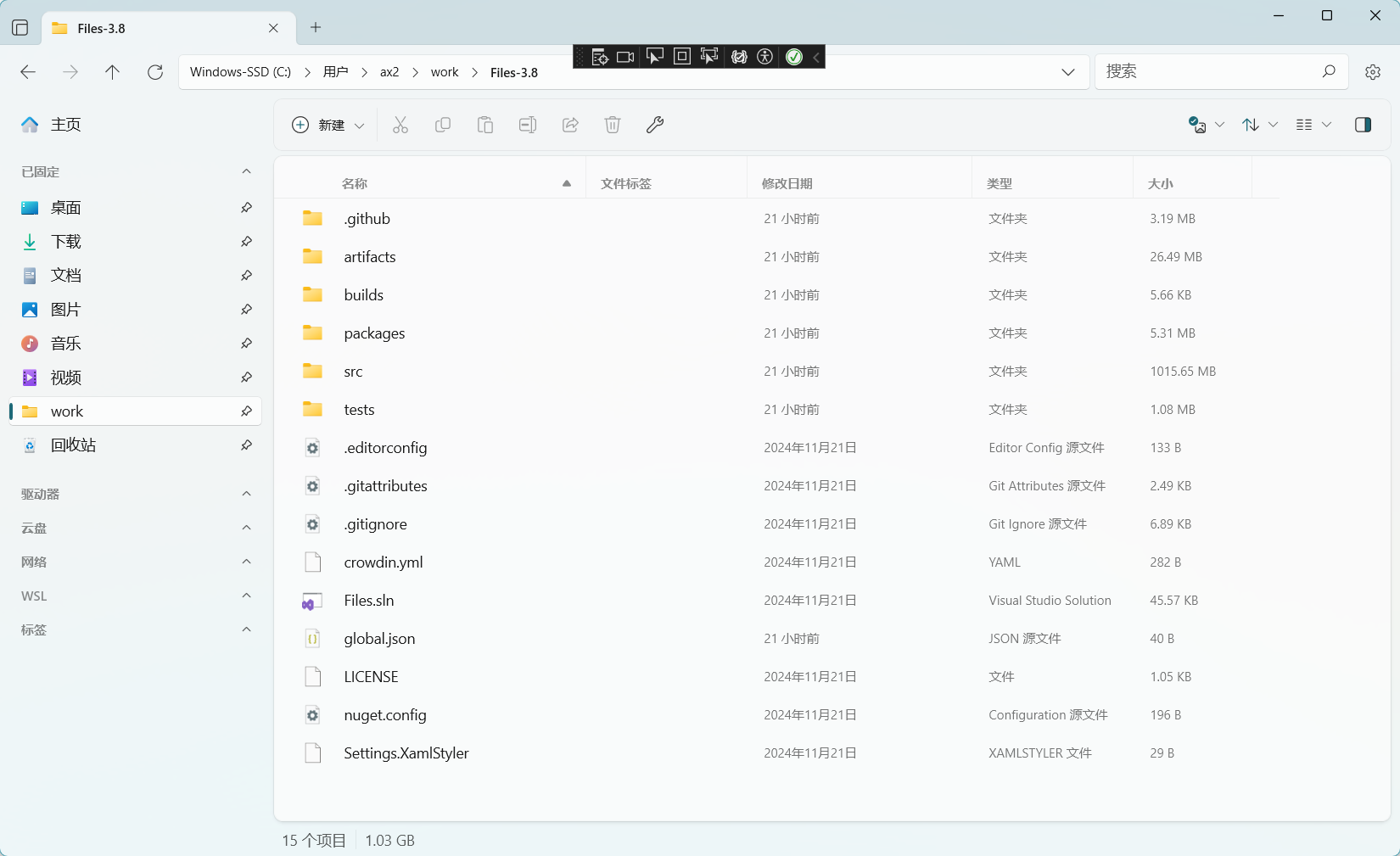
The running result looks like this:
Building and running from source went more smoothly than expected. There was one small issue: it is better to install the documented .NET 8 SDK version 8.0.303. I had installed 8.0.404 and hit errors. Another workaround is to modify the SDK version in the repository’s global.json to 8.0.404.
I only tried it briefly, but the core features of native Windows File Explorer are basically there, including libraries, OneDrive, network, quick access, and recent files. It also has features that Explorer does not provide as nicely.
One detail I liked is WSL display. In native File Explorer, WSL does not always appear automatically in the same way. Another useful feature is configurable folder-size display. When folders are very large, enabling this can have performance cost, but on a high-end CPU it is convenient. This feature alone makes Files App worth spending more time on later.
Follow ZiCode on WeChat
If this post was useful, you can follow later updates on WeChat as well.

X / Twitter
Follow @ax2_zicode
Faster technical notes, short thoughts, and new-post alerts are posted on X.
