
Quant Trading for Programmers 30: Generate A Daily Run Health Report
Quant Trading for Programmers 30: Generate A Daily Run Health Report
Articles 26-29 added notification channels, file delivery, price providers, and a target-weight policy.
Article 30 closes this stage by summarizing missing prices, production checks, and notification receipts into a daily run health report.
What The Health Report Checks
The health report does not judge whether the strategy is good.
It answers one engineering question: was today’s paper-trading run healthy?
The current decision uses:
- Whether the price snapshot has missing symbols.
- Whether input production checks have issues.
- Whether output production checks have issues.
- Whether the notification receipt was accepted successfully.
This health status is “run health,” not “account health.” The account may have no risk while the notification fails. Or the account may trigger risk controls while the run chain itself is complete. Keeping the two concepts separate makes troubleshooting much cleaner.
The Report Object
Chapter 30 adds app/run_health.py.
@dataclass(frozen=True)
class RunHealthReport:
    status: str
    issue_count: int
    notification_accepted: bool
    missing_price_count: int
    summary: str
status keeps only three levels: ok, warning, and blocker.
Status Priority
A failed production check is a blocker.
Missing prices or failed notifications are warnings. They may not make the day’s result completely unusable, but they must be visible.
if issue_count:
    status = "blocker"
elif missing_price_count:
    status = "warning"
elif notification_receipt is not None and not notification_accepted:
    status = "warning"
else:
    status = "ok"
This priority can become more detailed later, but the first version writes down the most important branches clearly.
Current Integrated Run
Article 30 closes the loop with the same command:
uv run python -m scripts.chapter_examples paper-notifyThis command generates target weights, fetches prices, runs the daily flow, sends a file notification, and finally generates a run health report:
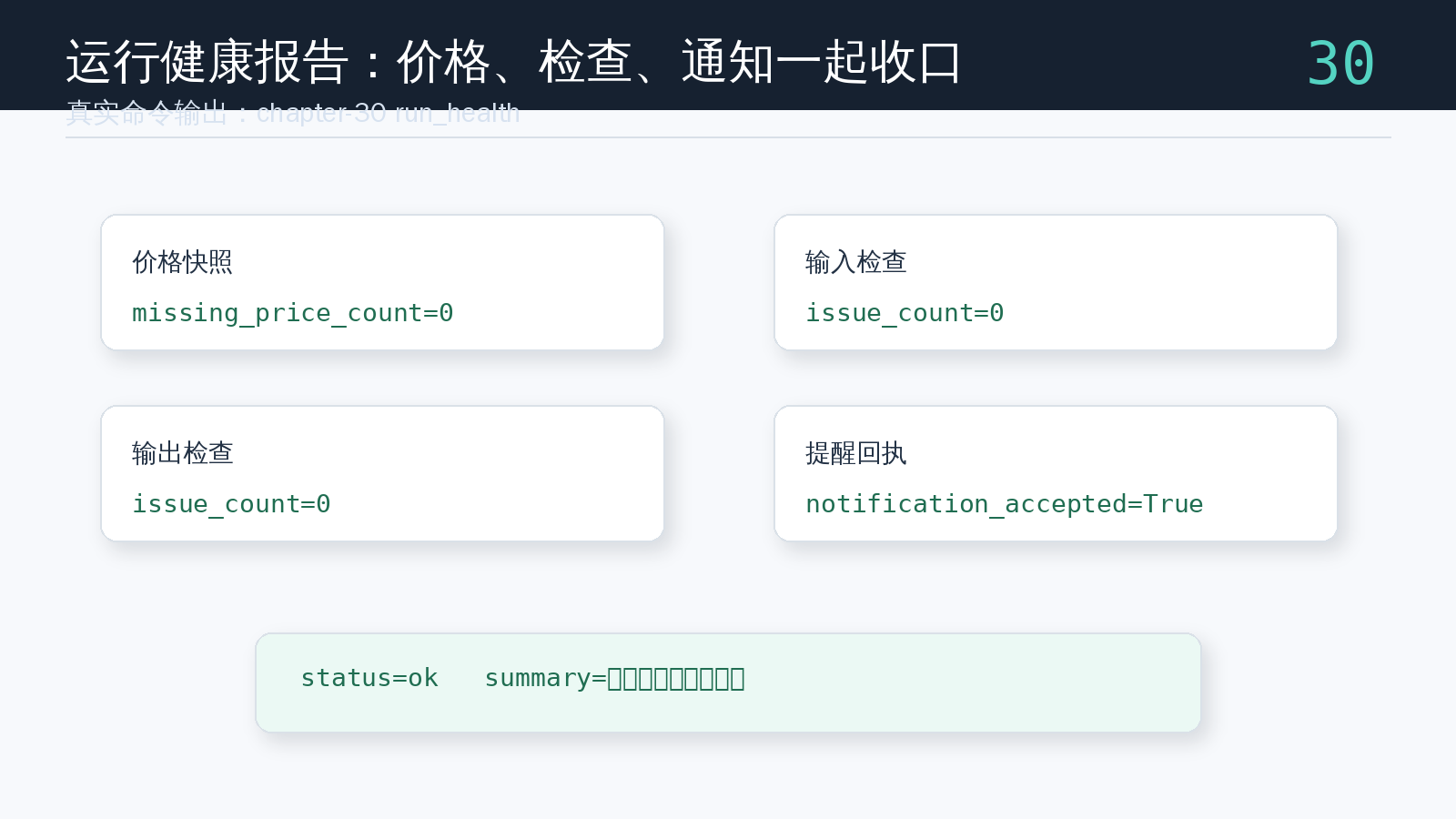
The example output is status=ok because there are no missing prices, input and output checks have no issues, and the file notification is accepted. This does not mean the strategy will make money. It only means today’s paper-trading flow is complete from an engineering point of view.
Chapter Update And Repository
This chapter adds:
app/run_health.py.- The run health report object.
- A summary over price snapshots, input checks, output checks, and notification receipts.
- An integrated
paper-notifyexample showing the full path from target weights to notification receipts and health reporting. - A clear boundary between run health and account risk controls.
tests/test_run_health.py, covering healthy, blocked, and notification-failed states.- A stage review for articles 26-30.
Repository:
https://github.com/ax2/zi-quant-platformCode for this chapter:
git clone https://github.com/ax2/zi-quant-platform.git
cd zi-quant-platform
git checkout chapter-30
uv sync --extra dev
uv run pytest tests/test_run_health.py
Chapter 30 is commit 7add464, tagged as chapter-30. The full test suite currently passes with 229 passed, with only existing FastAPI deprecation warnings.
Stage Review: Articles 26-30
The sixth group of five articles fills in several important boundaries in the paper-trading run chain.
Article 26 abstracts notification channels so daily report delivery is no longer tied to a specific platform.
Article 27 implements a file-based channel, storing daily report delivery records in JSONL for local verification and replay.
Article 28 abstracts price providers, separates price input from the daily flow, and exposes missing symbols explicitly.
Article 29 adds a target-weight policy, converting candidate lists into equal-weight targets with controlled gross exposure.
Article 30 generates a run health report, summarizing prices, production checks, and notification receipts into ok, warning, or blocker.
The point of this group is not to create a more complicated strategy. It continues to stabilize engineering boundaries. Once notifications, prices, weights, and health status are independent, connecting real scheduling and real market data later will touch a much smaller area.
The main code path now also has a cross-chapter command:
uv run python -m scripts.chapter_examples paper-notifyIt links articles 26-30 into one runnable demonstration: candidate lists generate target weights, the price provider supplies latest prices, the daily flow generates the report, the notification channel records the receipt, and the health report summarizes the run state. If real market data or Lark notifications are connected later, the first step should be replacing PriceProvider and NotificationChannel implementations rather than rewriting the daily flow itself.
Summary
The health report is the final summary layer of a daily run.
Article 30 lets the paper-trading system not only calculate and send alerts, but also explain whether the run itself was healthy. The next group can build on this chain by adding real scheduling, report archiving, and data inputs closer to production.
Follow ZiCode on WeChat
If this post was useful, you can follow later updates on WeChat as well.

X / Twitter
Follow @ax2_zicode
Faster technical notes, short thoughts, and new-post alerts are posted on X.

More in this column
- Quant Trading for Programmers 34: Detect Market Data Gaps
- Quant Trading for Programmers 33: Summarize Paper-Trading Run History
- Quant Trading for Programmers 32: Archive Daily Run Results As JSON
- Quant Trading for Programmers 31: Add A Run Window To Daily Jobs
- Quant Trading for Programmers 29: Generate Target Weights From A Candidate List
- Quant Trading for Programmers 28: Abstract Price Inputs Into Price Providers
- Quant Trading for Programmers 27: Record Paper-Trading Daily Reports In Files
- Quant Trading for Programmers 26: Abstract Notification Channels First