
Quant Trading for Programmers 37: Generate Daily Run Results
Quant Trading for Programmers 37: Generate Daily Run Results
Article 36 shaped the daily run input into DailyRunRequest.
Article 37 continues from there: once the system has a request and an operations checklist, it should return a clear result instead of forcing callers to guess whether execution is possible.
Three Result States
The first version keeps only three states.
| State | Meaning |
|---|---|
ready | Checks passed and this is not a dry run, so real actions may execute |
dry_run_ready | Checks passed, but only rehearsal is allowed |
blocked | At least one check failed |
This distinction is more useful than a plain true/false. A dry run can keep generating reports and observable output, but it should not be treated as real execution.
Result Object
Article 37 adds app/run_result.py.
@dataclass(frozen=True)
class DailyRunResult:
    trade_date: str
    status: str
    dry_run: bool
    failed_checks: tuple[str, ...]
failed_checks keeps failed check names. Article 39 will use them to generate handling actions.
Build Result From Checklist
The core logic is short.
failed = tuple(item.name for item in checklist.items if not item.passed)
if failed:
    status = "blocked"
elif request.dry_run:
    status = "dry_run_ready"
else:
    status = "ready"
The order must not be reversed. If any check fails, the result must be blocked whether or not this is a dry run. Otherwise rehearsal mode would hide input problems.
Decide Whether Further Processing Is Worthwhile
result_is_actionable() tells whether the result is still worth generating downstream output for.
def result_is_actionable(result: DailyRunResult) -> bool:
    return result.status in {"ready", "dry_run_ready"}
Rehearsal status is also actionable because it can continue through report generation, archiving, notification tests, and other non-trading actions.
Two words need to be kept separate here: actionable and executable. dry_run_ready is actionable because it can still produce reports, verify notifications, and observe the process. It is not executable because it cannot trigger real actions. Only ready has both meanings.
Current Linked Output
Continue using the same command:
uv run python -m scripts.chapter_examples paper-run-planIn this example, the data-gap check fails, so the run result is blocked:
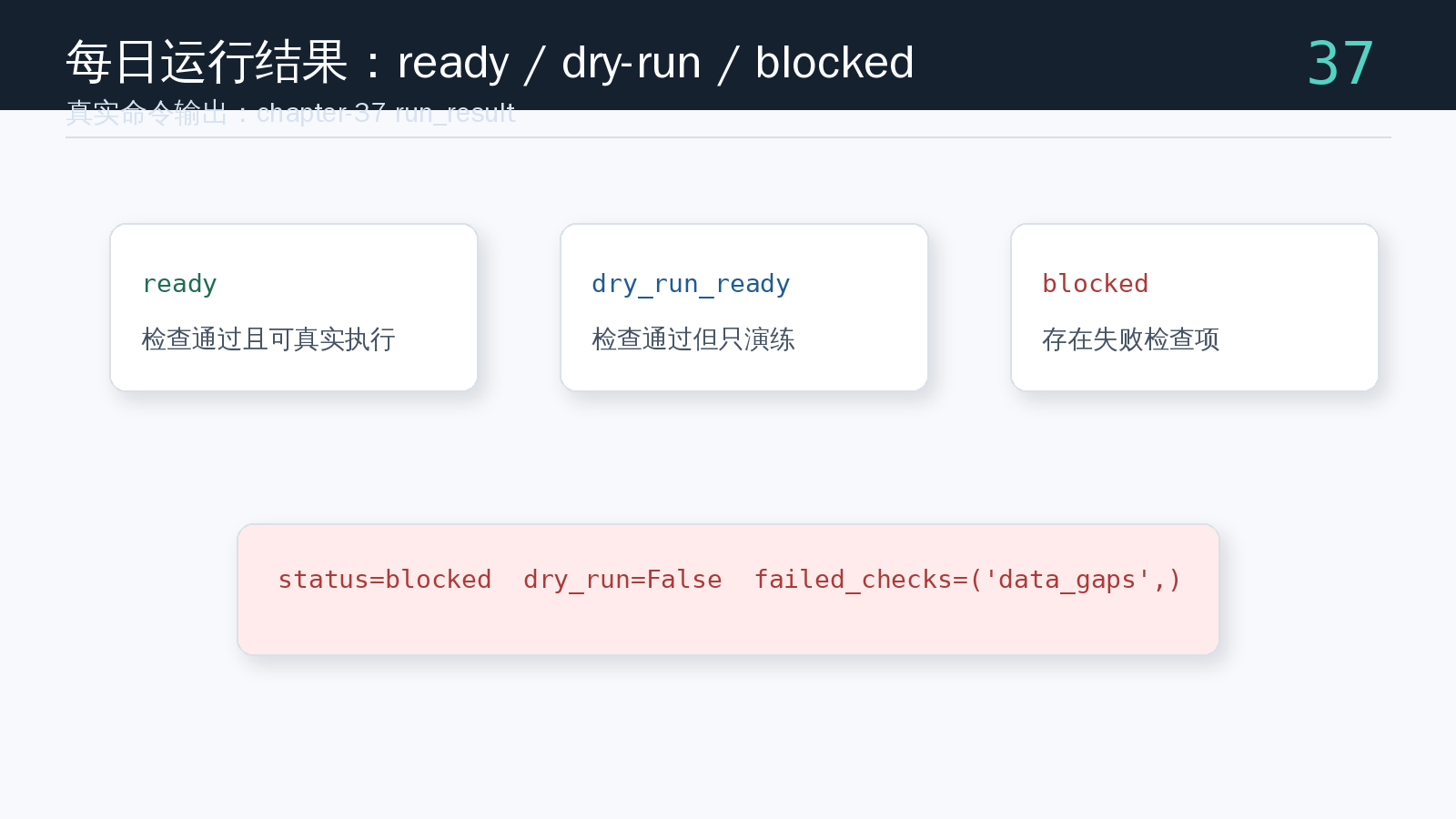
Notice that dry_run=False does not bypass the checklist. As long as failed_checks is non-empty, the status must be blocked. This prevents “real run mode” from hiding data problems.
Test Result Branches
Run:
uv run pytest tests/test_run_result.py tests/test_ops_checklist.py tests/test_run_request.pyThe tests cover:
- when checks pass and
dry_run=False, status isready; - when checks fail, status is
blockedand failed checks are preserved; - when checks pass but default dry-run is enabled, status is
dry_run_ready.
Repository
This article adds:
app/run_result.py;DailyRunResult;- run-status generation from request and operations checklist;
- preservation of failed check names;
result_is_actionable();- linked
paper-run-planexample showing howdata_gapsputs the result into blocked state; - explanation of the difference between actionable and executable;
tests/test_run_result.py, covering ready, blocked, and dry-run-ready.
Repository:
https://github.com/ax2/zi-quant-platformCode for this chapter:
git clone https://github.com/ax2/zi-quant-platform.git
cd zi-quant-platform
git checkout chapter-37
uv sync --extra dev
uv run pytest tests/test_run_result.py tests/test_ops_checklist.py tests/test_run_request.py
The article 37 commit is a588181, and the tag is chapter-37.
Summary
The run result gives a daily request an explicit state.
Article 37 converts the checklist into ready, dry_run_ready, or blocked. The next article indexes daily report archives so the system can quickly find historical reports from a pile of JSON files.
Follow ZiCode on WeChat
If this post was useful, you can follow later updates on WeChat as well.

X / Twitter
Follow @ax2_zicode
Faster technical notes, short thoughts, and new-post alerts are posted on X.

More in this column
- Quant Trading for Programmers 41: Summarize The Daily Run Plan
- Quant Trading for Programmers 40: Compose The Daily Run Plan
- Quant Trading for Programmers 39: Turn Failed Checks Into Actions
- Quant Trading for Programmers 38: Index Daily Report Archives
- Quant Trading for Programmers 36: Shape The Daily Run Request
- Quant Trading for Programmers 35: Generate An Operations Checklist
- Quant Trading for Programmers 34: Detect Market Data Gaps
- Quant Trading for Programmers 33: Summarize Paper-Trading Run History